Balance
A personal finance app with a dark, premium mobile UI and a scroll-driven sales deck that showcases features and drives downloads.
- Role
- UX & UI Design
- Timeline
- 2 months
- Deliverables
- Mobile app design
- Sales deck
Premium and
trustworthy.
Balance is a personal finance app for managing spending. The goal was a premium, trustworthy mobile UI. Powerful tools can breed anxiety when interfaces get complex, so it had to feel sophisticated enough for serious money management yet intuitive for everyday use.
Three steps to calm, capable finance.
Review
Leading finance appsCompetitor analysis of leading personal finance apps.
Find the pattern
Most fell into two campsTwo camps: dashboards that overwhelm, and trackers too shallow for serious money.
Set the principle
Power without anxietyDepth that never overwhelms: calm enough to trust, capable enough to rely on.
Confidence and control.
A dark, premium aesthetic conveys security and sophistication, critical trust signals in finance. Charcoal gives data visualization natural contrast, with accent colors used purposefully: green for positive movement, warm tones for alerts. Typography prioritizes instant legibility, keeping the app approachable and consistent.
Sales deck

Animated scroll sales deck
An interactive landing page that works as a visual sales deck, showing the app's value through scroll-driven motion rather than lengthy copy.
Animated scroll sales deck
An interactive landing page that works as a visual sales deck, showing the app's value through scroll-driven motion rather than lengthy copy.
Home
Quick actions
Add money, convert currency, transfer, top up.
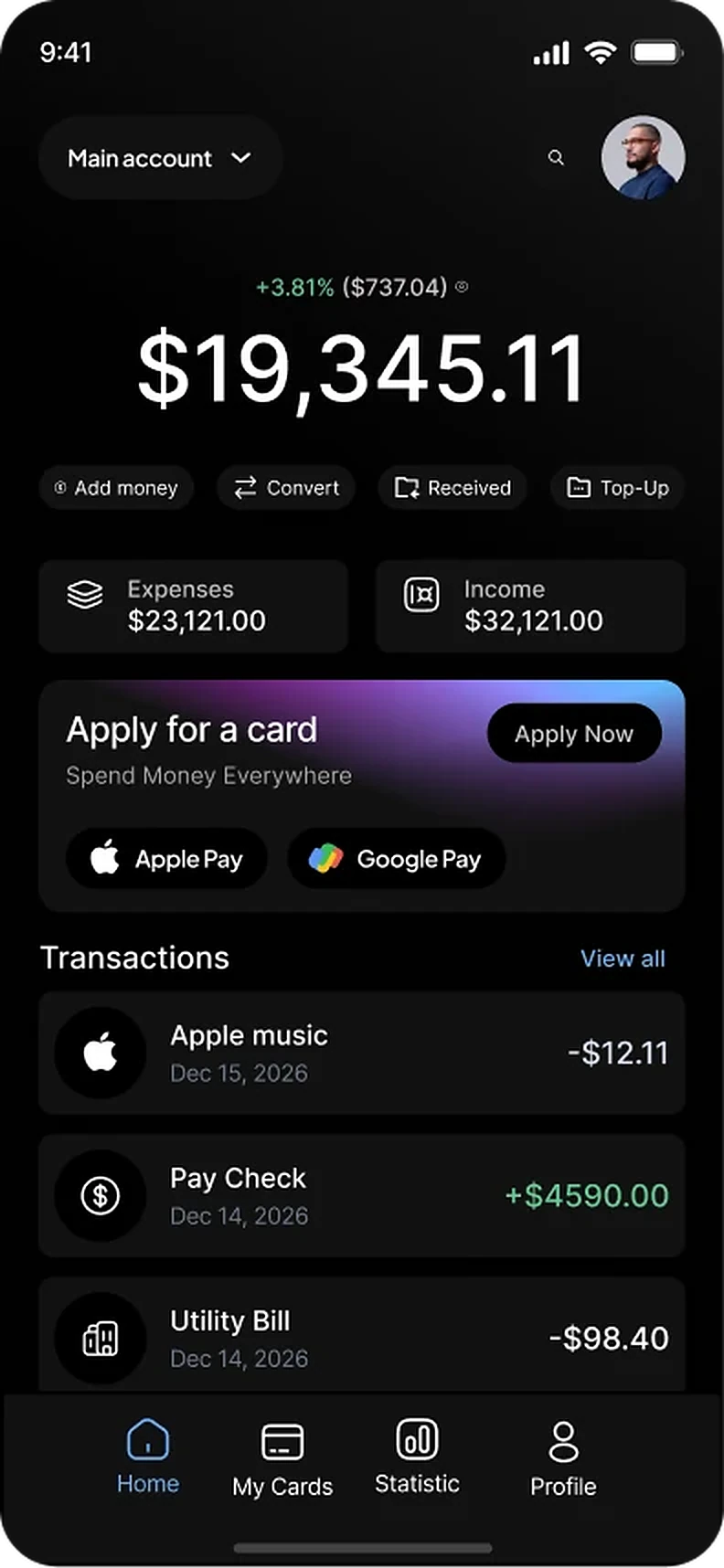
Home
The home screen is a financial command center.
Transaction feed
Recent activity stays visible without extra taps.
Home
The home screen is a financial command center.
Quick actions
Add money, convert currency, transfer, top up.
Transaction feed
Recent activity stays visible without extra taps.
Weekly overview
Weekly Overview
A dedicated insights screen shows financial health at a glance.
Transaction history
Gives each transaction context.
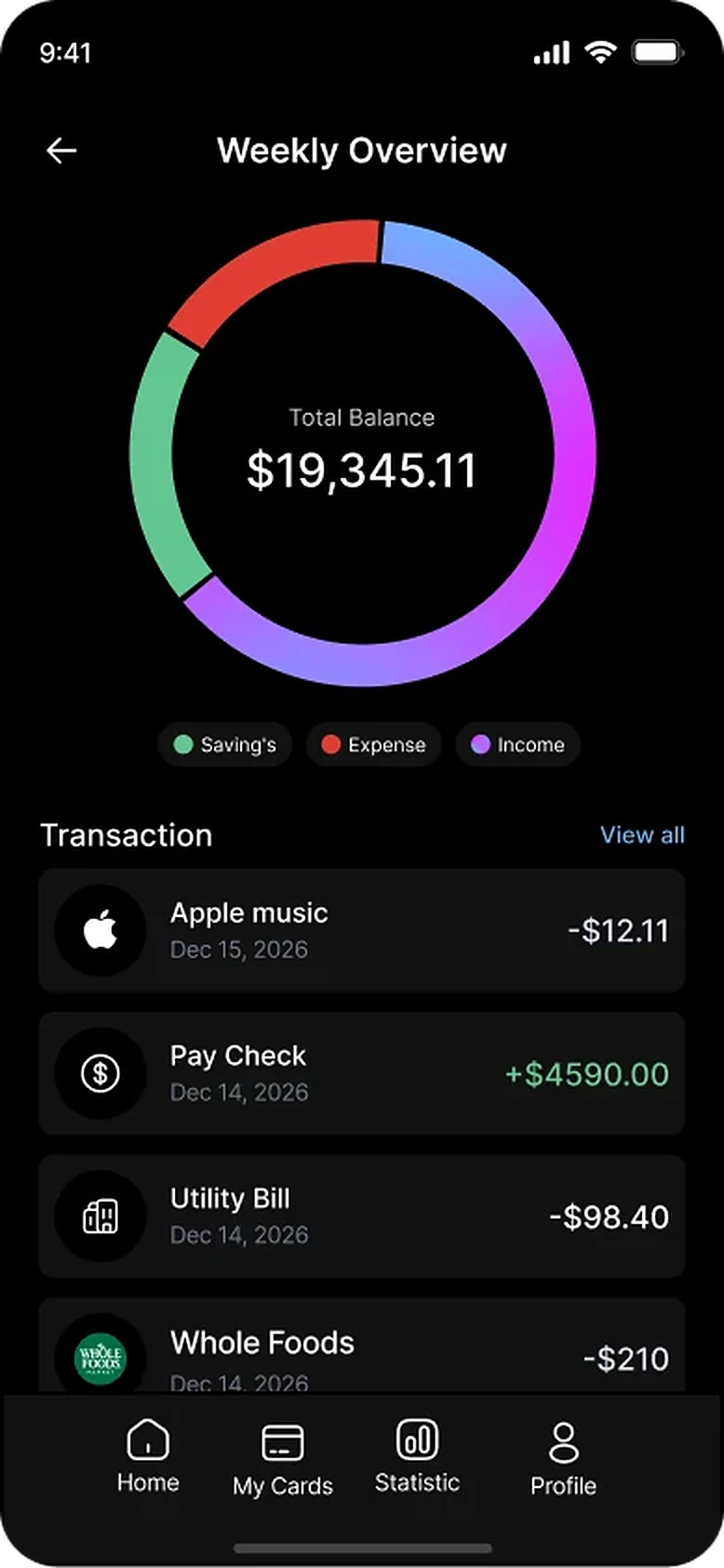
Chart
A donut chart balances savings, expenses, and income, making problems easy to spot.
Weekly Overview
A dedicated insights screen shows financial health at a glance.
Chart
A donut chart balances savings, expenses, and income, making problems easy to spot.
Transaction history
Gives each transaction context.
Cards
Stay in app
Change PINs, set spending limits, and manage conversion preferences.
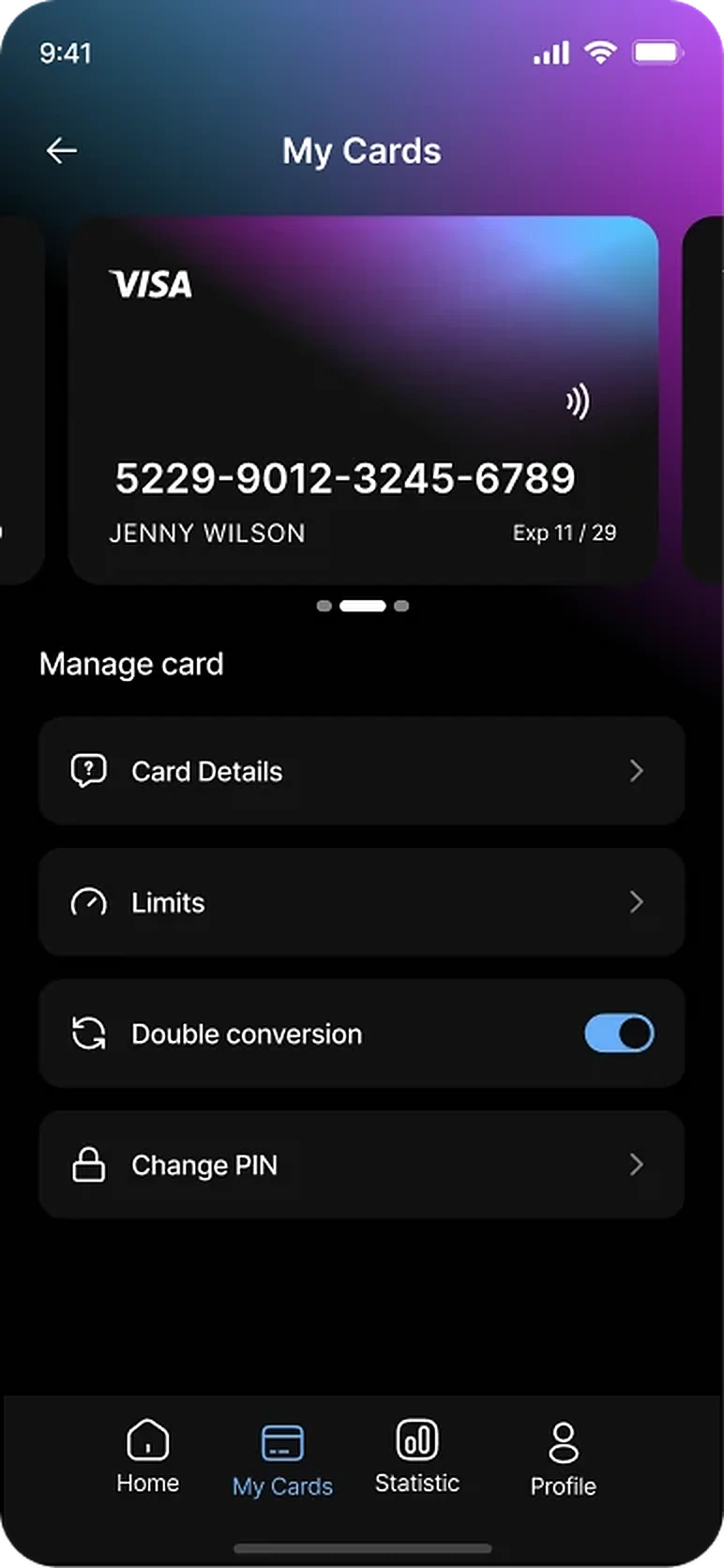
Card Management
All cards in one place. A swipeable carousel shows each card's real design for instant identification.
Card Management
All cards in one place. A swipeable carousel shows each card's real design for instant identification.
Stay in app
Change PINs, set spending limits, and manage conversion preferences.
Send & exchange

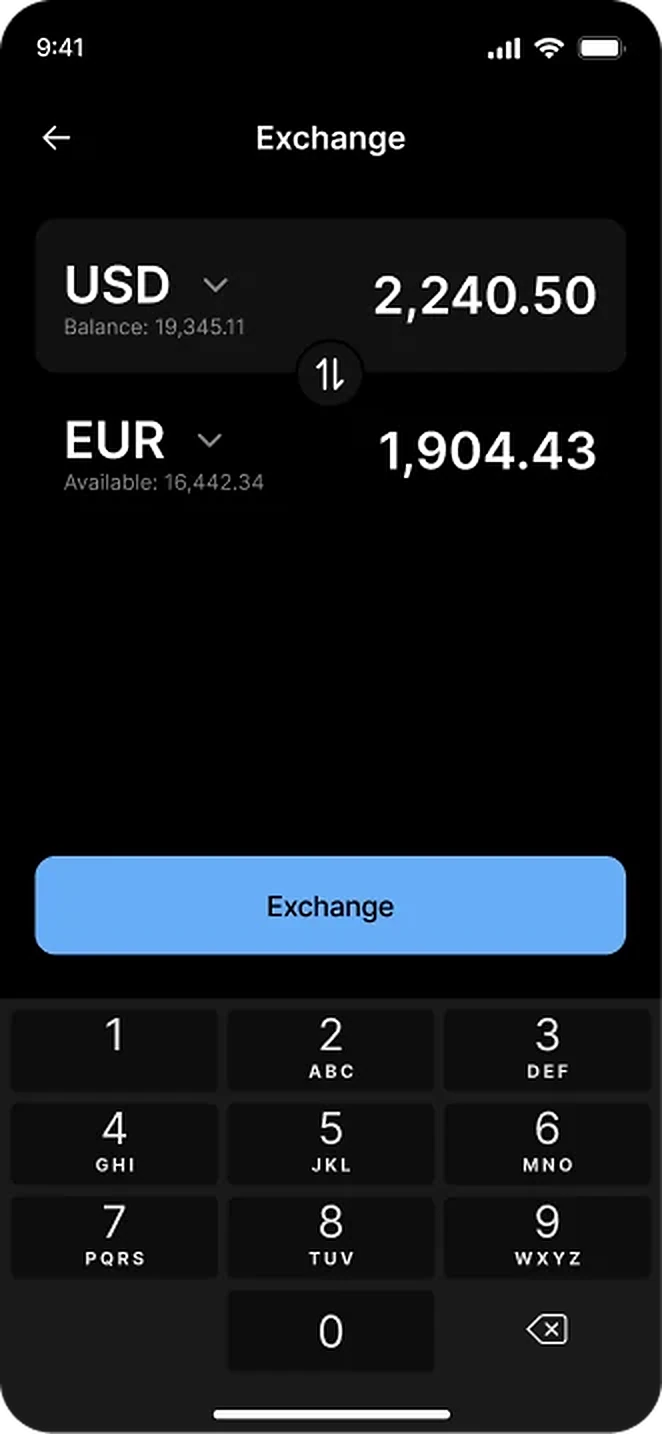
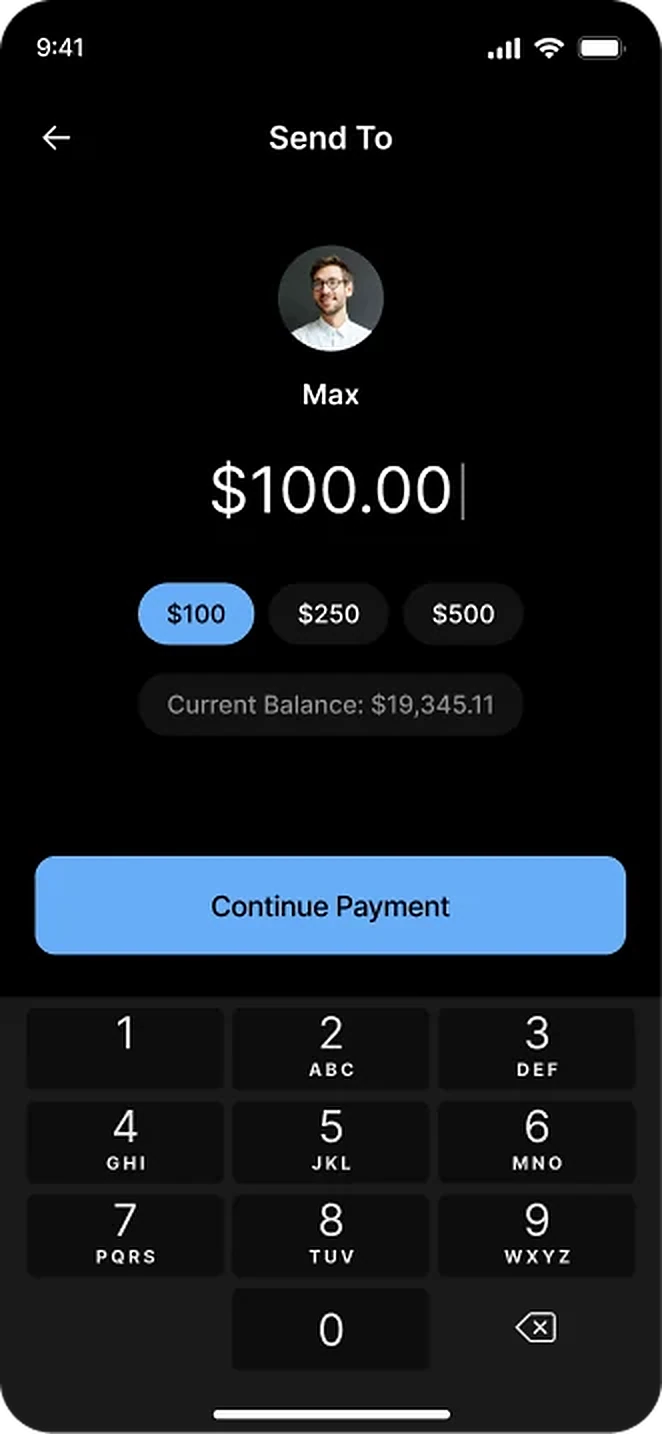
Send & Exchange
Streamlined peer-to-peer payments and multi-currency conversion.
The dark aesthetic differentiates Balance in a crowded market, while clear hierarchy keeps complex financial data actionable. The sales deck extends the brand to the web, creating a cohesive journey from discovery to download.